pygame is
Python
Simple DirectMedia Layer
 
 
pygame.org is
Site Swing
TopDownShooter

TopDownShooter - 1.0

Dylan J. Raub (dylanjraub)

Tags:

Description

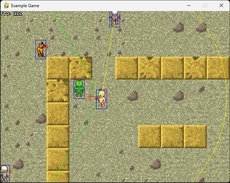
This game can be edited so that you could change the controls and charracters and enemys as you want! Have fun!

Links

Home Page: http://www.mediafire.com/?hpjmuxdgs2g

Releases

TopDownShooter - 1.0 - May 29, 2008

Pygame.org account Comments

If you wish to leave a comment with your pygame.org account, please sign in first.

October 3, 2008 12:21pm - Dylan J. Raub - nickname: (dylanjraub)
I realized my flaw. I am SSSSSSOOOooooorrrrryy...
June 5, 2008 1:29pm - Dylan J. Raub - nickname: (dylanjraub)
AND WHAT DOES "you should learn more triginomatry" SUPPOSED TO MEEN?!?
I ALREADY KNEW THAT!!! I KNOW PLENTY OF TRIG.!

(my spelling sucks, though...)
June 5, 2008 1:28pm - Dylan J. Raub - nickname: (dylanjraub)
Um... I think you missed the convertions. I can't say exactly where it is, but it's in the form of a function from math: math.radians()
June 2, 2008 1:23pm - Andy Hanson - nickname: (rhodiumgames)
0 degrees is the angle from (0,0) to (1,0).
90 degrees is the angle from (0,0) to (0,1).
But wait!
math.sin(90) is 0.89399666360055785.
This is because Python's math functions use radians.
2*PI in radians is 360 degrees.
Easy conversion: Angle in radians = Angle in degrees * PI / 180.

The cosine (called by math.cos(x)) function takes an angle and returns the 'x-component.'
To find that, you start at (0,0) and move 1 unit in the direction of the angle.
Then you measure how far you've moved along ONLY THE X-AXIS.
Similarly, the sine (called by math.sin(x)) function takes an angle and returns the 'y-component.'
To figure out how far you've moved if you have a speed other than 1, just use a multiplyer.
To figure out where you end up if you start at a point other than (0,0), just add your old position.

Example:
myAngle = math.pi/4 #Down-right, same as 45 degrees.
myXPosition = myXPosition + mySpeed * math.cos(myAngle)
myYPosition = myYPosition + mySpeed * math.sin(myAngle)


You can call those last two lines every frame, and modify myAngle as you see fit.
I hope this helped. Feel free to ask questions if this is confusing.
You should learn more trigonometry!
June 2, 2008 8:42am - Dylan J. Raub - nickname: (dylanjraub)
You know, it's funny you should mention that! I was thinking about it recently, too.

I think the problem is that zero degrees equals -90 or 90 in python. I don't know why...
June 1, 2008 12:20am - Andy Hanson - nickname: (rhodiumgames)
Using the mouse felt better when I replaced key code with:

pos = pygame.mouse.get_pos()
self.angle = math.atan2(self.pos[0] - pos[0],self.pos[1] - pos[1])

Although it depends on what you want to do with the game. Aiming with mouse is certainly much more accurate, but only allows for one player at a time (or an unfair advantage)

By the way, in Player class, self.pos should be [x,y], right? So:

self.pos[0]+=math.sin(self.angle)*self.move_speed
self.pos[1]+=math.cos(self.angle)*self.move_speed

Is wierd, because you're adding the sin of the angle to the x-coordinate and the cos of the angle to the y-coordinate. That's why in the mouse code above I had to do math.atan2(x,y) instead of math.atan2(y,x): Everything's backwards! It doesn't cause any glitches, but it's kind of messy.
May 29, 2008 7:36pm - pymike - nickname: (pymike)
Haha thanks :)
May 29, 2008 8:45am - Dylan J. Raub - nickname: (dylanjraub)
WARNING: 'DIS GAME IS BLOODY!
May 29, 2008 8:44am - Dylan J. Raub - nickname: (dylanjraub)
I know... You can change the color of the background, though. Just put in a new color in the "bg_color" variable in "main()".
May 29, 2008 8:43am - pymike - nickname: (pymike)
Looks like fun but I can't see the bullets because they're way too dark :(
May 29, 2008 8:37am - Dylan J. Raub - nickname: (dylanjraub)
Sorry, I did not leave any info on how to change the game. You'll have to edit the lists that are called "players" and "robots" and "walls" to change the levels. As for the variables needed to make a new object, you'll have to look at the class itself ans look at the name for the variable to know how to make a new wall/enemy/etc...
spotlight

 
our projects
pygame.org welcomes all python game, art, music, sound, video and multimedia projects. If they use pygame or not.
 
recent releases
May 24, 2012


May 23, 2012

May 22, 2012


May 20, 2012

May 19, 2012

May 18, 2012

May 17, 2012


... more!
 
for pygame related questions, comments, and suggestions, please see help (lists, irc)