our projects - recent releases
pygame.org welcomes all python game, art, music, sound, video and multimedia projects. If they use pygame or not. Once you finished getting started you could add a new project or collaborate with other people. Or perhaps you're interested in making pygame (the python multimedia library) itself better? First you may need to learn a thing or two about pygame by reading the docs.
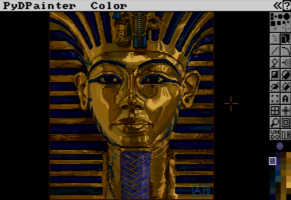
PyDPainter Release 1.2.1, by Mark Riale
MetalArbiter 3, by christopher eldridge
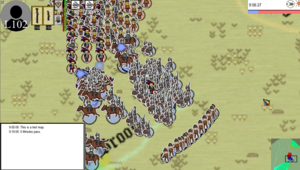
Historical Wargame Simulator 0.7.2, by Remance
SREM 1.2, by Łukasz Michalczyk
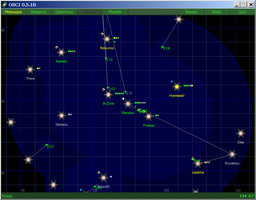
Elite Flatland 2.0 2.0, by Darron Vanaria
SREM 1.1, by Łukasz Michalczyk
Snake 22 BETA (Wormy evolved) v0.4, by Daniel Young
Snake 22 BETA (Wormy evolved) v0.2, by Daniel Young
Snake 22 BETA (Wormy evolved) v0.1, by Daniel Young
Snake 22 BETA (Wormy evolved) 0.3, by Daniel Young
PyBlocks 1.0, by Łukasz Michalczyk
Travel!!! 0.1, by Joris

Moonrabbit Collection 1.0, by CMLSC
Désert de Feu 1.1, by Bruno Vignoli
SREM 1, by Łukasz Michalczyk
Meltdown 1.0.0, by David Pendergast
Historical Wargame Simulator 0.6.9, by Remance
Interplanetary Invaders 0.7, by Nacho Monkey
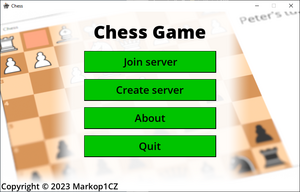
ChessGame 1.5, by Markop
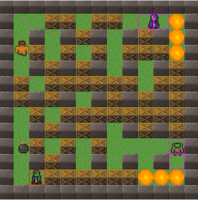
Bomberman 1.2, by Michał
Historical Wargame Simulator 0.6.5.2, by Remance
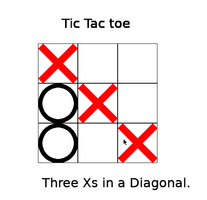
Tic Tac Toe 1.0, by Zina
MetalArbiter .3, by christopher eldridge
sudoku ! 1, by jess
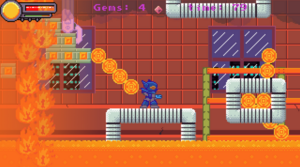
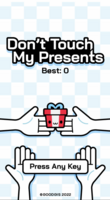
Don't Touch My Presents 1.0, by Firith Studio
RocketPy 1.0, by Firith Studio
CraftMine 2D 1, by jensen
MetalArbiter .2, by christopher eldridge
$STONKS simulator 1.2, by Markop

Mining Simulator 0.1, by Illusive Force
pyBlasteroids 0.2, by Rye Salvador
Trosnoth 1.18.1, by J. D. Bartlett
Skii 1.0, by Luke Pyle
Historical Wargame Simulator 0.6.3.16, by Remance
Best Paysafecard Gambling Sites 2023 2, by Katie Webber

Best Paysafecard Gambling Sites 2023 1, by Katie Webber
news
pygame 2.5.2 - 🦋 yet another bug fix release🍄
python -m pip install -U pygame==2.5.2 --userRead the release notes to find out what changed.
Please file an issue if you notice a problem:
https://github.com/pygame/pygame/issues
pygame 2.5.1 - 🦋 more delicious, and equal amounts of weird 🍄
python -m pip install -U pygame==2.5.1 --userRead the release notes to find out what changed.
Please file an issue if you notice a problem:
https://github.com/pygame/pygame/issues
pygame 2.5.0 - 🦋 delicious but a weird 🍄
python -m pip install -U pygame==2.5.0 --userRead the release notes to find out what changed.
Please file an issue if you notice a problem:
https://github.com/pygame/pygame/issues
pygame 2.4.0 - 👟⚽
python -m pip install -U pygame==2.4.0 --userrelease notes
Please file an issue if you notice a problem:
https://github.com/pygame/pygame/issues
pygames hackathon, PyWeek, and Ludum Dare game jams.
Over the next weeks we have plenty of game jams that people from the pygame communities take part in.
The pygames hackathon runs from March 20th, 2023 to April 17th 2023, and is open to people in USA and Canada. For this one there's $12,700 in prizes. "If you love programming and gaming, this is the perfect opportunity to showcase your skills and have some fun!"
Then the must-use-python PyWeek challenge "Invites entrants to write a game in one week from scratch either as an individual or in a team. Is intended to be challenging and fun. Will hopefully increase the public body of python game tools, code and expertise. Will let a lot of people actually finish a game, and may inspire new projects (with ready made teams!)." PyWeek runs from March 26nd, 2023 to April 2nd 2023, and theme voting is already on.
Finally, Ludum Dare is an event where you create a game from scratch in a weekend based on a theme. April 28th, 2023. Starts at 3:00 AM CEST *. Ludumdare is the oldest online game jam, and has the largest number of participants. There is a Jam (72h, less restrictive rules), and a compo (48h more rules). The Jam now lets people submit paper board games, and even things like crafts that aren't games at all!
pygame 2.3.0 - 🌸
python -m pip install -U pygame==2.3.0 --userrelease notes
Please file an issue if you notice a problem:
https://github.com/pygame/pygame/issues
pygame 2.2.0 - 💀
python -m pip install -U pygame==2.2.0 --userrelease notes
Please file an issue if you notice a problem:
https://github.com/pygame/pygame/issues
pygame 2.1.3 - make it count
python -m pip install -U pygame==2.1.3 --userrelease notes
Spanish translation update
pygame in all the languages
Many thanks to: Owen Wiggins, Dan Lawrence, John Norris, Anonym, William Chambers, Franco Bonfiglio Vazquez, Fiona Beardsworth. €674 were raised on top of the $800. Updates will come here on the progress with Spanish.
tweets
videos
About
Pygame is a set of Python modules designed for writing video games. Pygame adds functionality on top of the excellent SDL library. This allows you to create fully featured games and multimedia programs in the python language.
Pygame is highly portable and runs on nearly every platform and operating system.
Pygame itself has been downloaded millions of times.
Pygame is free. Released under the LGPL licence, you can create open source, freeware, shareware, and commercial games with it. See the licence for full details.
For a nice introduction to pygame, examine the line-by-line chimp tutorial, and the introduction for python programmers. buffer, and many other different backends... including an ASCII art backend! OpenGL is often broken on linux systems, and also on windows systems - which is why professional games use multiple backends.
Multi core CPUs can be used easily. With dual core CPUs common, and 8 core CPUs cheaply available on desktop systems, making use of multi core CPUs allows you to do more in your game. Selected pygame functions release the dreaded python GIL, which is something you can do from C code.
Uses optimized C and Assembly code for core functions. C code is often 10-20 times faster than python code, and assembly code can easily be 100x or more times faster than python code.
Comes with many operating systems. Just an apt-get, emerge, pkg_add, or yast install away. No need to mess with installing it outside of your operating system's package manager. Comes with binary pos system installers (and uninstallers) for Windows or MacOSX. Pygame does not require setup tools with even ctypes to install.
Truly portable. Supports Linux (pygame comes with most main stream linux distributions), Windows (95, 98, ME, 2000, XP, Vista, 64-bit Windows, etc), Windows CE, BeOS, MacOS, Mac OS X, FreeBSD, NetBSD, OpenBSD, BSD/OS, Solaris, IRIX, and QNX. The code contains support for AmigaOS, Dreamcast, Atari, AIX, OSF/Tru64, RISC OS, SymbianOS and OS/2, but these are not officially supported. You can use it on hand held devices, game consoles and the One Laptop Per Child (OLPC) computer.
It's Simple and easy to use. Kids and adults make shooter games with pygame. Pygame is used in the OLPC project and has been taught in essay courses to young kids and college students. It's also used by people who first programmed in z80 assembler or c64 basic.
Many games have been published. Including Indie Game Festival finalists, Australian Game festival finalists, popular shareware, multimedia projects and open source games. Over 660 projects have been published on the pygame websites such as: list needed. Many more games have been released with SDL (which pygame is based on), so you can be sure much of it has been tested well by millions of users.
You control your main loop. You call pygame functions, they don't call your functions. This gives you greater control when using other libraries, and for different types of programs.
Does not require a GUI to use all functions. You can use pygame from a command line if you want to use it just to process images, get joystick input, or play sounds.
Fast response to reported bugs. Some bugs are patched within an hour of being reported. Do a search on our mailing list for BUG... you'll see for yourself. Sometimes we suck at bug fixes, but mostly we're pretty good bug fixers. Bug reports are quite rare these days, since a lot of them have been fixed already.
Small amount of code. It does not have hundreds of thousands of lines of code for things you won't use anyway. The core is kept simple, and extra things like GUI libraries, and effects are developed separately outside of pygame.
Modular. You can use pieces of pygame separately. Want to use a different sound library? That's fine. Many of the core modules can be initialized and used separately.
tutorials
The pygame Documentation page has a number of tutorials. A Newbie Guide to pygame is very good.
There are lots of examples that come with pygame. See https://github.com/pygame/pygame/tree/master/examples. They should be installed, and are runnable like:
python -m pygame.examples.aliens
Below are unofficial tutorials and guides. Anything with wrong install instructions is not allowed.
General Tutorials
- Tutorials by DR0ID
- PyGame object oriented tutorials by przemo_li
- Thepythongamebook tutorial about Pygame
- Discover Python & Pattern - Create a game with Pygame and Design Patterns
- A complete Pygame Tutorial - Game Creation
Pygame Tutorials on Specific Topics
- Python Platformer Tutorial
- Improving Performance in Pygame
- Screencasts and tutorials at Scriptedfun, making an arkanoid type game
- A tutorial on making a top-down tile-based game
- PyGame Physics Youtube Tutorials by maaack
- YouTube series creating a top down racing game with Python 3
- Pygame - scrolling background
- Pygame Menu-creation Library
Books with Pygame Tutorials
Non-English Resources
Spanish
Brazilian Portuguese
- Introdução a Programação de Jogos usando PyGame (Introduction to Game Development using PyGame). This covers the basics and the final target is a good side-scrolling game.
Français (french)
- Sur Wikibooks, Traduction compl�te des tutoriels officiels de Pete Shinners.
Greek
- Python Game Programming (Greek) - A free Pygame book for Greek audiences. Introduces programming in a fun way. No previous experience required.
Polish
Italian
CookBook
def show_cook_book_love(screen):
    txt = "I love the CookBook!"
    f = SysFont("Arial", 12)
    s = f.render(txt, 1, (0,0,0))
    screen.blit(s, (0,0))
Posting A Recipe:
- Please start a new page for each recipe.
- Use the <pre><code>YOUR CODE</code></pre> tags to put in code.(View source of some other pages to see how it is done.)
- Except where otherwise noted, recipes posted in the pygame cookbook are in public domain.
- Tabs are lost when posting, so convert tabs to spaces first if you use them.
Generic recipes
ProfilingRunningInCorrectDirectory
LinearInterpolator
SmoothInterpolator
BoundingBox
2DVectorClass
3DVectorClass
CommandDispatch (A pattern for building GUIs)
2DGeometryEngine
QuadTree
MemoizingDecorator (Another lazy resource loader)
SignalSlot (A signal/slot implementation)
Interpolator (An improved interpolator)
BezierCurve
RGBColorConversion
CalculateDist
SpatialHashMap
ConstantGameSpeed
PyGame recipes
LazyImageLoadingSimpleFontManager
TTFToBitmapConverter
toggle_fullscreen
Joystick_analyzer
ImagePacker
SmallerRectForSpriteCollision
GradientCode
ConchMusicSoundToolkit
FastPixelPerfect
SettingWindowPosition
DummyVideoDriver
WindowResizing
TextWrapping
CairoPygame
Load_32-bit_BMP_with_Alpha
HeadlessNoWindowsNeeded (Use pygame without using creating a window)
SubtractRects
ShadowEffects (Using arrays)
MatplotlibPygame
IntersectingLineDetection
MmapSurfaces
WxPython
Pygame2exe
InputWrapper
RotateCenter
MidiScheduler
SpatialHash_for_Pygame
Spritesheet
Tint
SoundGeneration
DrawWaveform
PyOpenGL recipes
SimpleOpenGL2dClassesOBJFileLoader
GLLight
GLSLExample
GLSL_ARB_Example
TextureCoordinateArithmetic
MakeOpenglDrawIn2D
CrossPlatformTextOpengl
Resources
Cookbook Code
3D Models
- STLFinder - the free 3d models search engine
- Yobi3D - free 3D models search engine
- Digital Furniture 3D models
- Turbosquid 3D models
- Hum3D 3D models
- 3D Vi
- CGTrader 3D models marketplace
- the3modelstore.com
Tutorials
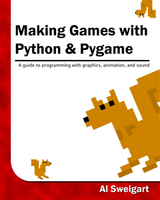
- Making Games with Python & Pygame - A free Pygame book.
- Full Python Pygame Tutorial
- Python Platformer Tutorial
- Python RPG Series
- ProgramArcadeGames.com
- Color Rules of thumb.
- So You Want To Be A Pixel Artist?
- "Intro to PyGame" CourseHero course
- Improving Performance in Pygame
Textures
- http://www.mayang.com/textures/
- http://www.imageafter.com/
- http://www.3dlinks.com/textures_free.cfm
- http://www.vb3d.com/Textures.html
- http://www.spiralgraphics.biz/packs/index.htm
- Blender Texture Disk
Music
- Free Music Archive: Creative Commons Licensed Music
- http://www.soundtaxi.net - Royalty Free Music / Production Music
- Jewelbeat.com Royalty Free Music
- free music loops
- http://creativecommons.org/audio/
- http://www.piano-midi.de/
- Gemafreie Musik
- Gemafreie Musik / Lizenzfreie Musik
- http://www.freesolopiano.com/
- http://www.modarchive.org/
- TAM Music Factory
- FL Studio Sound Packs
Royalty Free Music
- MuseScore
- http://www.soundtaxi.net - Royalty Free Music / Production Music
- Gemafreie Musik
- Videvo - Royalty Free Music
Sound Effects
- The Freesound Project
- SoundSnap.com
- Free Sound Clips
- Music Mp3
- PDSounds.org
- Free-Loops.com
- The Matchmakers
- Pocket Sound
Royalty-Free Sound Effects
- Hollywood Production Music - Low Price Royalty Free Sound Effects
- http://www.partnersinrhyme.com/
- A repository of high-quality musical instruments samples
- http://www.stonewashed.net/sfx.html
- http://www.findsounds.com/
- http://freesoundfiles.tintagel.net/Audio/
- http://www.grsites.com/sounds/
- http://www.sounddogs.com/start.asp
- sfxr - 8-bit sound effect generator
- Videvo - Royalty Free Sound Effects
Fonts
- Cool Free Fonts
- http://www.goodfonts.org/
- http://www.grsites.com/fonts/
- http://www.aenigmafonts.com/
- http://www.algonet.se/~guld1/freefont.htm
- http://www.clavis.ne.jp/~sonic/segasonic/act5/font.htm
- http://www.1001freefonts.com/
- http://www.graffitifonts.com/fonts.shtml
- Celtic fonts
- http://www.dafont.com
- Font Squirrel
- Ten by Twenty
Stock Photos
Clip Art
Free Game Engines
Pixel Art
- phanxgames.com
- http://www.charas-project.net/resources.php?lang=en
- http://www.reinerstileset.4players.de:1059/englisch.htm
- Heroic- mito fantasy tilesets (2D and isometric)
- textures
- space graphics
- RTS graphics
- Volumetric Sprites
- http://rivendell.fortunecity.com/goddess/268/tilesets.html
- Sithjester's RMXP Resources - free RPG sprites
- Liberated Pixel Cup
- First Seed Material (Japanese)
- First Seed Material (Google-translated into English)
- ESPRI-Q (Japanese)
- ESPRI-Q (Google-translated into English)
- Pokefans tilesets (German)
- http://stackoverflow.com/questions/143050/where-to-get-sprites-tilesets-for-2d-games
- ArtSader
- Last Guardian sprites
Other Resource lists
Help (irc, lists)
Socials
Mailing List
Pygame maintains an active mailing list. You can email the list at pygame-users@seul.org
If you do not have a mail client configured on your computer you can subscribe to the mailing list by sending a plain-text e-mail to majordomo@seul.org. Leave the subject field blank and in the body put only "subscribe pygame-users" (without the quotes).
You will receive an authentication response. Follow the directions in that e-mail to complete the subscription process.
Forums and Newsgroups
GMane, and google groups offer web based, and newsgroup access to the pygame mailing list. So you can talk with a forum-like interface to the pygame mailing list.
If you prefer newsgroups, GMane is running a newsgroup gateway at gmane.comp.python.pygame.
If you have a google account, and like google groups, there is a mailing list mirror at google groups mirror. To post, you must subscribe to the real mailing list first. It started mirroring the mailing list in 2008/04/28.
For a forum-like interface, you can use Nabble which started mirroring on 2012/05/21.
Mailing list archives are hosted by Gmane and Seul.org.
irc
pygame IRC channel. irc.freenode.net 6667 #pygame
questions and answers
Hacking
Notes for hacking, developing, and modifying pygame.
Building pygame
See the wiki page: Compilation to figure out how to compile pygame on different platforms.
How to do debug builds?python setup.py build --debug installHow to speed up compilation? The build only compiles things that have changed by default. Parallel builds can be done with python 3.5+, where you can set the -j option with the number of workers you want to use. Probably setting it to the same as your number of CPU cores is a good idea.
python setup.py build -j4 install
Buildbots, pygame compiled on every change
There is a pygame github page. Development now happens on github.
Right now, pygame uses Github Actions and AppVeyor (windows) for CI. These are useful to make sure that changes proposed by contributors do not break pygame in any way, pygame must still build and work fine across different platforms and python versions.Linux manylinux builds
Manylinux builds are binary files for pip which should work on many versions of linux. See in the pygame repo manylinux-build/README.rstGenerating docs
python setup.py docs
This runs buildconfig/makeref.py which runs Sphinx to generate HTML docs and src_c/docs/{module}_doc.h C headers from reStructuredText source.
The reStructuredText .rst files are stored in the pygame/docs/reST/ref/ (reference manual) and docs/reST/tut/(tutorials) directories.
An online reStructuredText primer can be found on the Python website site.
Sphinx specific markup is described in theSphinx Documentation.
Parameters for functions should be documented with param info field lists.
The Python Sphinx package itself depends on Docutils, Jinja2, and Pygments.
Running tests
To run the tests from the test sub-directory in the pygame distribution:
python test/__main__.py -v
To run the tests from the installed pygame.tests module:
python -m pygame.tests -v
In either case the --help command line option will give usage instructions.
An important option is -v. This lets you see more details of the tests as they run.
C API docs
The C API docs can be found at https://www.pygame.org/docs/c_api.html. The source code for these docs in RestructuredText format is in docs/reST/c_api.rst and docs/reST/c_api/.Code style
Try and follow the code style of the particular file you are editing.
Use 4 spaces instead of tabs, and Pep-8 generally. Make sure your editor doesn't insert tabs.
Try to keep things under 80 characters wide.
Try not to mix in white space commits with other code commits. This makes reading diffs easier if you separate the whitespace updates from the actual changes.
For C code, we use clang-format. There is a config in src_c/.clang-format which tries to use a pep-7 style.
Writing tests.
Tests are in the test/ directory.
Please see test/README.txt (in the pygame repo) for more of a description on the tests, and the testing framework.
A naming convention is used for all tests. So from the name of a module, class, method, or function, you can find the tests for it.
Each module has a test file. eg. for pygame.surface there is test/surface_test.py
In that file there are methods for each of the classes, functions and methods. So Surface.blit has a 'test_blit' method. There can be multiple test methods for each method. eg. 'test_blit_keyword_args' in surface_test.py one of a few tests Surface.blit. Add extra words at the end of the method name to make multiple tests for the same method.
Methods named with todo at the front "todo_blit" are methods that need to be written. Or finished. By default all of the todo tests are skipped by the test runner. You can however, make the todo_ tests fail - to see how many more tests need to be finished.
Tests can use tags in order to organise them. There are optionally [modulename]_tags.py files for each module. A test/surface_tags.py file is used to specify tags for the pygame.surface module. You can use tags to skip tests on different platforms, or to choose different tests to exclude or run.
There are some test related tools + code in test/util/ .
To see if anything in a module is not documented... you can use: python compare_docs.py pygame.sprite sprite.doc
To generate some test stubs for your unittests from an existing file... you can do: python gen_stubs.py midi
Submitting changes to github
See http://www.contribution-guide.org/. If you are a member of the pygame repo on github you can start a new branch like this:git clone git@github.com:pygame/pygame.git
cd pygame
git checkout -b my-fixes-branch
# Edit your changes here.
git commit .
git push --set-upstream origin my-fixes-branch
Issue triage
There's a lot of issues, and people often only care about the issue for a short time. It can be helpful to categorize issues to save time for other developers, and to try and move an issue along.
Here are some general guidelines:
- Thank the person for submitting the issue. They didn't have to, and it took them some time.
- If issue reporters haven't provided sufficient information to act on, ask them to do the same
- Ask users reporting bugs with older pygame versions to test whether the bug still happens on the latest version
- Tell people we need a test. Tell them in which file.
- Tell people we don't have time, if we are not likely to fix it soon.
- Tell people if a PR would be accepted. Tell them which files they may need to edit.
- Tell people to use stackoverflow/etc for issues with their own code. Then close these issues. Maybe link to some documentation on it if there is some.
- Labeling the module/OS/version they are on. If it's an issue with image loading label it 'image'. If it's on windows, label it 'windows', if it's an SDL2 issue label it SDL2.
- Adding tasks to the top of the issue including, 'add a unit test', 'add reproducable code' are helpful to see how far along the issue is to being fixed.
Dealing with code reviews and the automated testing of the Continuous Integration tools
So, you've come up with some excellent bug fixes, tests or improvements to pygame and you are wondering how to go from there to getting your code merged into the pygame mainline. Here are some top tips:
- Submit your code as a clean, focused pull request. Ideally this means that only the essential changes you made for the improvement you are making make it into your pull request. If you don't know what a pull request is then this guide from GitHub may be of some help.
- Create documentation. If you are making a new feature don't forget the documentation, pygames online docs are published from the github repo source files each time pygame is released, and if your feature doesn't have any documentation nobody will know it exists.
- Write unit & interactive tests. Whichever seem appropriate for making clear the intended uses of your module and testing out the full ranges of inputs and potential error states.
- Please be patient for code review. It can take some time, but also don't worry about it. It just means that somebody else from the pygame community will have a look over and run your code and check for things like tests, documentation and functionality. If you contribute to pygame enough you too may become a code reviewer and help us sift through the stacks of pull requests.
- Automated testing platforms (CI). CI runners are basically online testing robots that try and run any submitted pull requests on as wide a range of computing platforms and software versions as possible to check for compatibility. It can often take several attempts to get your perfectly-working local code to pass the inspection of these CI task masters. Don't stress about this its very common even for those of us that have been doing pull requests for a while. Common pitfalls include:
- The 'dummy' video driver. CI runners are just server machines on a rack somewhere in an amazon warehouse they don't have screens connected to them so pygame has to use a fake video driver called the 'dummy' to run pygame applications on them. This driver doesn't have the same range of functionality as the regular video drivers so it is not uncommon to have to skip a unit test when this driver is being used. You can activate it locally too by setting the SDL_VIDEODRIVER environment variable.
- Platform specific code. Sometimes code can be platform specific, what works on one can break on another. These would need conditional handling for the different platforms pygame supports
- Multiple versions of SDL/Python/other deps. Pygame should work on any SDL version higher than 2 and Python version higher than 3.6 (at the time of writing). At times there are features in SDL/Python that are only added in a minor or patch version. The code should make use of conditionals to error gracefully, or workaround this.
- If in doubt just ask in your pull request's comment page as it's likely someone will have seen a similar issue before and may be able to help.
Deprecation of old code
See https://github.com/pygame/pygame/issues/2197 for some discussion and PRs linked to it.A heading
project comments
meetups
awesome sauce
spotlighted projects
Mastermind Networking Lib 4.2.0, by Ian Mallett
Albow 2.2, by Gregory Ewing
glLib Reloaded 0.5.9, by Ian Mallett
Program Arcade Games With Python and Pygame 1, by Paul Vincent Craven
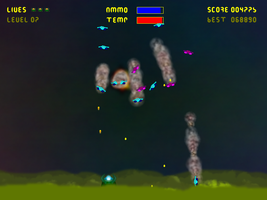
QANAT 0.7, by Paul Paterson
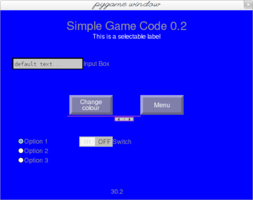
SGC 0.2.1, by Sam Bull
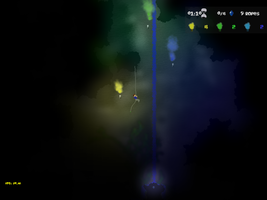
SubTerrex 0.3.1, by Paul Paterson
Making Games with Python & Pygame 1, by Al Sweigart
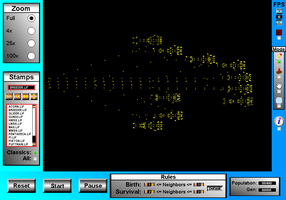
Life as a Bit DLX-v1.01, by Sean J McKiernan
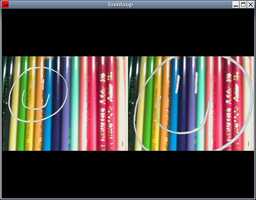
Toonloop 1.1.3, by Alexandre Quessy
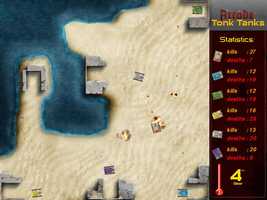
Arcade Tonk Tanks 0.0.6, by Koen Lefever
Foodforce2 1.0, by Deepank Gupta
PixelPaint F-b, by Pie
PaintBrush 1.1, by John Eriksson
Ardentryst 1.71-testing, by Jordan Trudgett
Plague 3.38, by benedict carter
555-BOOM! 0.6.1, by Gregory Ewing
Disk Field 1.01, by Jeremy
Woody Tigerbaum's Interplanetary Package Delivery 0.92, by Dave LeCompte
Trip on the Funny Boat 1.5, by Pekka Kujansuu
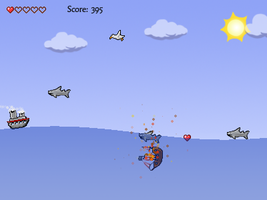
Barbie Seahorse Adventures 1.0, by Phil Hassey

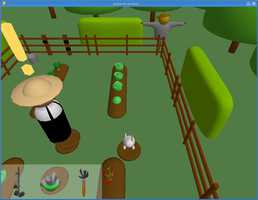
Bouncy the Hungry Rabbit post-r4, by Richard Jones
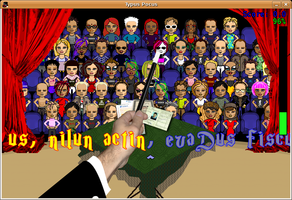
Typus Pocus Pyweek3, by Team PyAr
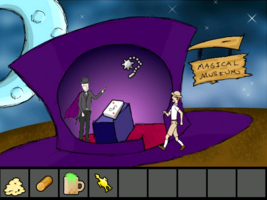
Colonel Wiljafjord and the Tarbukas Tyranny contest, by Phil Hassey
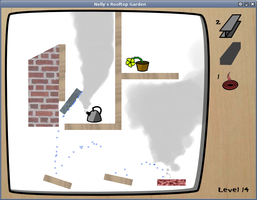
Nelly's Rooftop Garden 1.0, by Alex Holkner
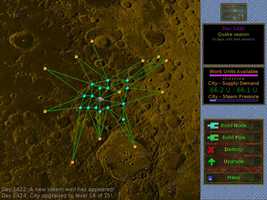
20,000 Light Years Into Space 1.2, by Jack Whitham
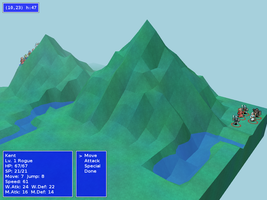
GalaxyMage 0.3.0, by Colin McMillen
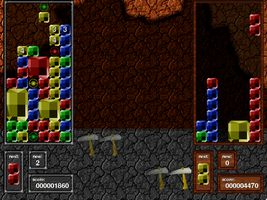
Angry, Drunken Dwarves 1.0.1, by Joe Wreschnig
The Witch's Yarn 1.3, by Keith Nemitz
Dynamite 1.1, by Phil Hassey
Quido: Failed Experiment 1.1, by Simon Wittber
Pylonoid 1.2, by Sami Hangaslammi
OUTERSPACE .5.13, by Administrator