Hacking — wiki
Notes for hacking, developing, and modifying pygame.
Building pygame
See the wiki page: Compilation to figure out how to compile pygame on different platforms.
How to do debug builds?python setup.py build --debug installHow to speed up compilation? The build only compiles things that have changed by default. Parallel builds can be done with python 3.5+, where you can set the -j option with the number of workers you want to use. Probably setting it to the same as your number of CPU cores is a good idea.
python setup.py build -j4 install
Buildbots, pygame compiled on every change
There is a pygame github page. Development now happens on github.
Right now, pygame uses Github Actions and AppVeyor (windows) for CI. These are useful to make sure that changes proposed by contributors do not break pygame in any way, pygame must still build and work fine across different platforms and python versions.Linux manylinux builds
Manylinux builds are binary files for pip which should work on many versions of linux. See in the pygame repo manylinux-build/README.rstGenerating docs
python setup.py docs
This runs buildconfig/makeref.py which runs Sphinx to generate HTML docs and src_c/docs/{module}_doc.h C headers from reStructuredText source.
The reStructuredText .rst files are stored in the pygame/docs/reST/ref/ (reference manual) and docs/reST/tut/(tutorials) directories.
An online reStructuredText primer can be found on the Python website site.
Sphinx specific markup is described in theSphinx Documentation.
Parameters for functions should be documented with param info field lists.
The Python Sphinx package itself depends on Docutils, Jinja2, and Pygments.
Running tests
To run the tests from the test sub-directory in the pygame distribution:
python test/__main__.py -v
To run the tests from the installed pygame.tests module:
python -m pygame.tests -v
In either case the --help command line option will give usage instructions.
An important option is -v. This lets you see more details of the tests as they run.
C API docs
The C API docs can be found at https://www.pygame.org/docs/c_api.html. The source code for these docs in RestructuredText format is in docs/reST/c_api.rst and docs/reST/c_api/.Code style
Try and follow the code style of the particular file you are editing.
Use 4 spaces instead of tabs, and Pep-8 generally. Make sure your editor doesn't insert tabs.
Try to keep things under 80 characters wide.
Try not to mix in white space commits with other code commits. This makes reading diffs easier if you separate the whitespace updates from the actual changes.
For C code, we use clang-format. There is a config in src_c/.clang-format which tries to use a pep-7 style.
Writing tests.
Tests are in the test/ directory.
Please see test/README.txt (in the pygame repo) for more of a description on the tests, and the testing framework.
A naming convention is used for all tests. So from the name of a module, class, method, or function, you can find the tests for it.
Each module has a test file. eg. for pygame.surface there is test/surface_test.py
In that file there are methods for each of the classes, functions and methods. So Surface.blit has a 'test_blit' method. There can be multiple test methods for each method. eg. 'test_blit_keyword_args' in surface_test.py one of a few tests Surface.blit. Add extra words at the end of the method name to make multiple tests for the same method.
Methods named with todo at the front "todo_blit" are methods that need to be written. Or finished. By default all of the todo tests are skipped by the test runner. You can however, make the todo_ tests fail - to see how many more tests need to be finished.
Tests can use tags in order to organise them. There are optionally [modulename]_tags.py files for each module. A test/surface_tags.py file is used to specify tags for the pygame.surface module. You can use tags to skip tests on different platforms, or to choose different tests to exclude or run.
There are some test related tools + code in test/util/ .
To see if anything in a module is not documented... you can use: python compare_docs.py pygame.sprite sprite.doc
To generate some test stubs for your unittests from an existing file... you can do: python gen_stubs.py midi
Submitting changes to github
See http://www.contribution-guide.org/. If you are a member of the pygame repo on github you can start a new branch like this:git clone git@github.com:pygame/pygame.git
cd pygame
git checkout -b my-fixes-branch
# Edit your changes here.
git commit .
git push --set-upstream origin my-fixes-branch
Issue triage
There's a lot of issues, and people often only care about the issue for a short time. It can be helpful to categorize issues to save time for other developers, and to try and move an issue along.
Here are some general guidelines:
- Thank the person for submitting the issue. They didn't have to, and it took them some time.
- If issue reporters haven't provided sufficient information to act on, ask them to do the same
- Ask users reporting bugs with older pygame versions to test whether the bug still happens on the latest version
- Tell people we need a test. Tell them in which file.
- Tell people we don't have time, if we are not likely to fix it soon.
- Tell people if a PR would be accepted. Tell them which files they may need to edit.
- Tell people to use stackoverflow/etc for issues with their own code. Then close these issues. Maybe link to some documentation on it if there is some.
- Labeling the module/OS/version they are on. If it's an issue with image loading label it 'image'. If it's on windows, label it 'windows', if it's an SDL2 issue label it SDL2.
- Adding tasks to the top of the issue including, 'add a unit test', 'add reproducable code' are helpful to see how far along the issue is to being fixed.
Dealing with code reviews and the automated testing of the Continuous Integration tools
So, you've come up with some excellent bug fixes, tests or improvements to pygame and you are wondering how to go from there to getting your code merged into the pygame mainline. Here are some top tips:
- Submit your code as a clean, focused pull request. Ideally this means that only the essential changes you made for the improvement you are making make it into your pull request. If you don't know what a pull request is then this guide from GitHub may be of some help.
- Create documentation. If you are making a new feature don't forget the documentation, pygames online docs are published from the github repo source files each time pygame is released, and if your feature doesn't have any documentation nobody will know it exists.
- Write unit & interactive tests. Whichever seem appropriate for making clear the intended uses of your module and testing out the full ranges of inputs and potential error states.
- Please be patient for code review. It can take some time, but also don't worry about it. It just means that somebody else from the pygame community will have a look over and run your code and check for things like tests, documentation and functionality. If you contribute to pygame enough you too may become a code reviewer and help us sift through the stacks of pull requests.
- Automated testing platforms (CI). CI runners are basically online testing robots that try and run any submitted pull requests on as wide a range of computing platforms and software versions as possible to check for compatibility. It can often take several attempts to get your perfectly-working local code to pass the inspection of these CI task masters. Don't stress about this its very common even for those of us that have been doing pull requests for a while. Common pitfalls include:
- The 'dummy' video driver. CI runners are just server machines on a rack somewhere in an amazon warehouse they don't have screens connected to them so pygame has to use a fake video driver called the 'dummy' to run pygame applications on them. This driver doesn't have the same range of functionality as the regular video drivers so it is not uncommon to have to skip a unit test when this driver is being used. You can activate it locally too by setting the SDL_VIDEODRIVER environment variable.
- Platform specific code. Sometimes code can be platform specific, what works on one can break on another. These would need conditional handling for the different platforms pygame supports
- Multiple versions of SDL/Python/other deps. Pygame should work on any SDL version higher than 2 and Python version higher than 3.6 (at the time of writing). At times there are features in SDL/Python that are only added in a minor or patch version. The code should make use of conditionals to error gracefully, or workaround this.
- If in doubt just ask in your pull request's comment page as it's likely someone will have seen a similar issue before and may be able to help.
Deprecation of old code
See https://github.com/pygame/pygame/issues/2197 for some discussion and PRs linked to it.Recent Releases
 SUPER JUMP DUDE - 0.6.3
1 Jun, 2026
SUPER JUMP DUDE - 0.6.3
1 Jun, 2026
 Imperial Ambitions - Three Kingdoms - 1.0
19 Mar, 2026
Imperial Ambitions - Three Kingdoms - 1.0
19 Mar, 2026
 Pygame menu - 4.5.4
19 Feb, 2026
Pygame menu - 4.5.4
19 Feb, 2026
 pgRPG - ECS pygame Game Engine - 0.1.0
4 Feb, 2026
pgRPG - ECS pygame Game Engine - 0.1.0
4 Feb, 2026
 AS Arrow - v 0.1.4
28 Jan, 2026
AS Arrow - v 0.1.4
28 Jan, 2026
 koxinga - v0.3.3
27 Jan, 2026
koxinga - v0.3.3
27 Jan, 2026
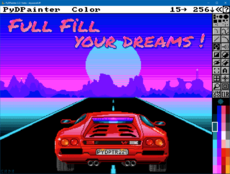 PyDPainter - Release 2.2.1
21 Jan, 2026
PyDPainter - Release 2.2.1
21 Jan, 2026
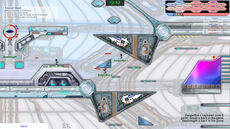 Trosnoth - 1.23.0
18 Jan, 2026
Trosnoth - 1.23.0
18 Jan, 2026
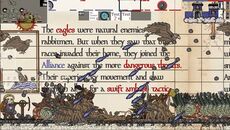 Royal Ordains - 0.2.4
5 Jan, 2026
Royal Ordains - 0.2.4
5 Jan, 2026
 Divide & Conquer - 1.0
ALL the tags!